
Link Dataverse to Microsoft Fabric — and stop letting external systems read from your CRM directly.
A data warehouse team asks for a direct database connection to your CRM. The answer is always no. But you still have to solve the problem. Here's how Fabric Link gives external consumers fast, typed, governed access — without any of them ever touching Dataverse directly.
The request is reasonable. A data warehouse team, a QA function, a web application, an AI pipeline — they all need CRM data. The question is where they get it from.
Pointing them directly at Dataverse is the obvious answer. It's also the wrong one. Dataverse API limits are designed for transactional operations — not bulk analytical reads. Direct access means schema leakage, GUID exposure, unresolved option set integers, and a CRM that starts slowing down as read volume grows.
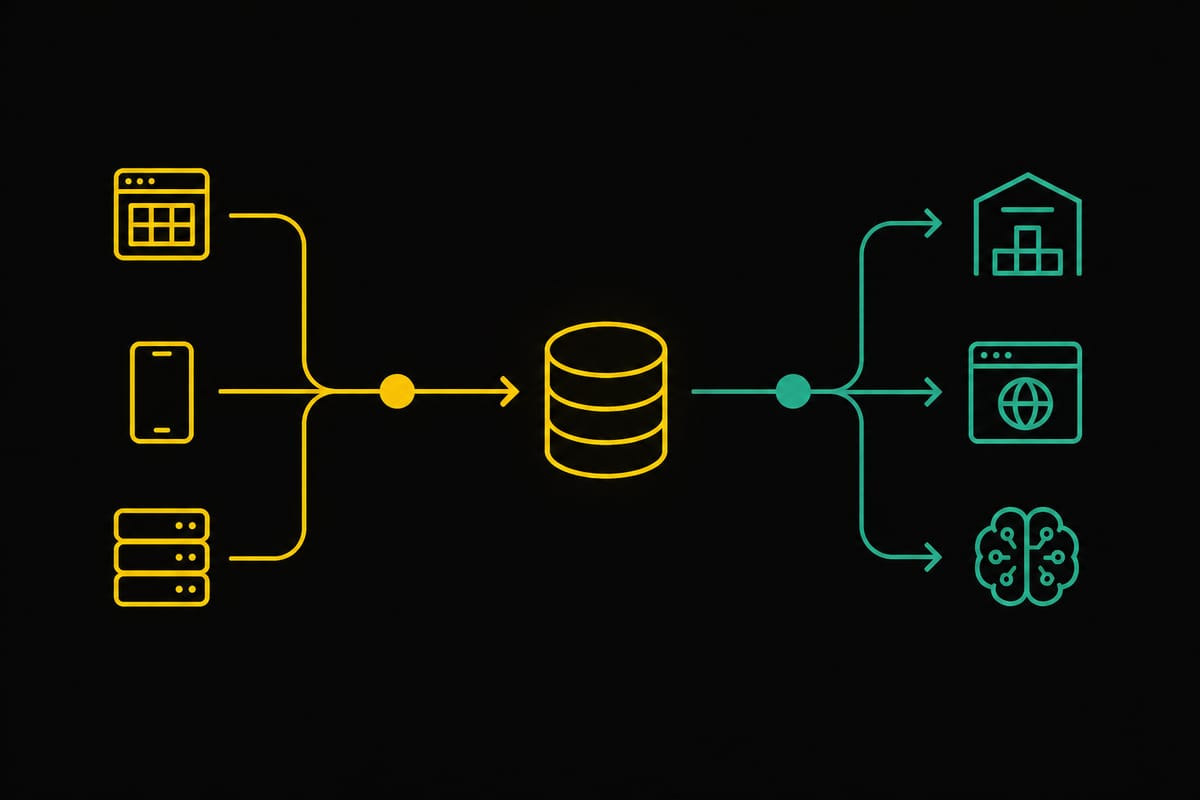
The pattern that solves this is straightforward. Dataverse writes. Fabric reads. Nothing crosses that boundary without going through the right layer.
The architecture
Two paths. One boundary.
The architecture separates write operations from read operations entirely. Dataverse is the system of record — the write path runs through it, enforcing business rules via the plugin pipeline. Fabric is the read platform — external consumers query it, never Dataverse.
Why it matters
What this pattern actually gives you.
- Dataverse API limits are designed for transactional operations — not analytical reads at scale. Every external consumer reading directly from Dataverse is consuming API capacity that belongs to your CRM users.
- Fabric columnar storage is orders of magnitude faster than the Dataverse API for complex queries and large datasets. A query that takes 30 seconds against the Dataverse API returns in milliseconds from a Fabric SQL View.
- As your data volume grows, read performance stays consistent. You're not fighting the CRM's transactional architecture with analytical workloads.
- GraphQL provides IntelliSense, schema introspection, and typed queries. External teams know exactly what fields are available and what they contain — no reverse engineering of Dataverse schema prefixes or option set integers.
- JDBC gives data warehouse teams a standard SQL interface. Databricks, Power BI, and any JDBC-compatible tool connects directly to the Fabric SQL endpoint.
- Consumers query exactly what they need — nothing more. The SQL View defines the contract. Dataverse internals — GUIDs, schema prefixes, raw option set integers — never leak out.
- Validation, computed fields, and business rules fire in the Dataverse plugin pipeline on every write — regardless of which system triggered the write. The logic doesn't need to be replicated in every integration or consumer.
- Pre-Validation plugins reject invalid data before it reaches the database. Pre-Operation plugins compute derived fields. Post-Operation plugins trigger downstream processes. All of this happens once, consistently, for every write.
- Fabric Link picks up the result automatically — clean, validated, computed data in the lakehouse within minutes of the write completing.
- Before Fabric Link, the standard approach was a custom export pipeline — ADF, Logic Apps, or a scheduled Azure Function writing Dataverse data to a SQL database or blob storage. Each of these has its own maintenance burden, failure modes, and latency.
- Fabric Link replaces all of it. One configuration. Near real-time sync. Delta parquet format in the lakehouse — partitioned, columnar, ready for analytical queries without any transformation layer.
- The SQL Views you create on top of the lakehouse data are the transformation layer. They're SQL. They're versioned. They're owned by the CRM team and consumed by everyone else.
The setup
How to link Dataverse to Fabric.
Microsoft has made the initial link straightforward. The prerequisites take the most time — once those are in place, the link itself is a wizard.
Before you start — what you need:
Creating the link:
make.powerapps.com, select your environment, then go to Tables in the left navigation. On the command bar, select Analyse → Link to Microsoft Fabric.The data contract
SQL Views — the boundary between CRM and everyone else.
The View is the most important element of this pattern. It is the contract between the CRM team and every external consumer. The CRM team owns it. Consumers query it. Neither side needs to know how the other works.
- Resolves option sets — raw Dataverse option set integers become meaningful labels. Consumers never see a
1where they expectedActive. - Replaces GUIDs — internal Dataverse identifiers are replaced with business-meaningful keys where appropriate. The consumer's join keys match their own data model.
- Shapes the schema — only the fields consumers need are exposed. Dataverse columns with cryptic schema prefixes, internal audit fields, and system columns stay invisible.
- Applies business logic at read time — computed fields, filtered sets, aggregations. The View can express business concepts that don't exist as raw columns in the lakehouse.
- Versions cleanly — when the CRM schema changes, the View absorbs the change. Consumers don't need to update their queries unless the contract itself changes.
Applicability
When does this pattern make sense?
Not every Dataverse implementation needs Fabric Link. A small internal CRM with no external data consumers doesn't need this architecture. But as soon as external consumers appear, the question isn't whether to use this pattern — it's how quickly to get it in place.
We don't just build CRM. We build CRM that stays performant at scale.
Because nothing reads from it directly.
The Dataverse + Fabric pattern isn't complex to implement. The prerequisite setup takes an afternoon. The Fabric Link wizard is genuinely straightforward. What takes judgment is the SQL View design — knowing what to expose, how to shape it, and how to version the contract as the CRM evolves.
That's the part that matters. The infrastructure is a commodity. The data contract is the architecture.
"Microsoft Fabric GraphQL — two clicks from a SQL View to a typed, self-documenting API."
How we exposed CRM data to a data warehouse team without writing a single line of middleware code.
Microsoft official setup guide →